Step by step
Each step's number matches the marker on the screenshot; hover over or select a step to highlight it.
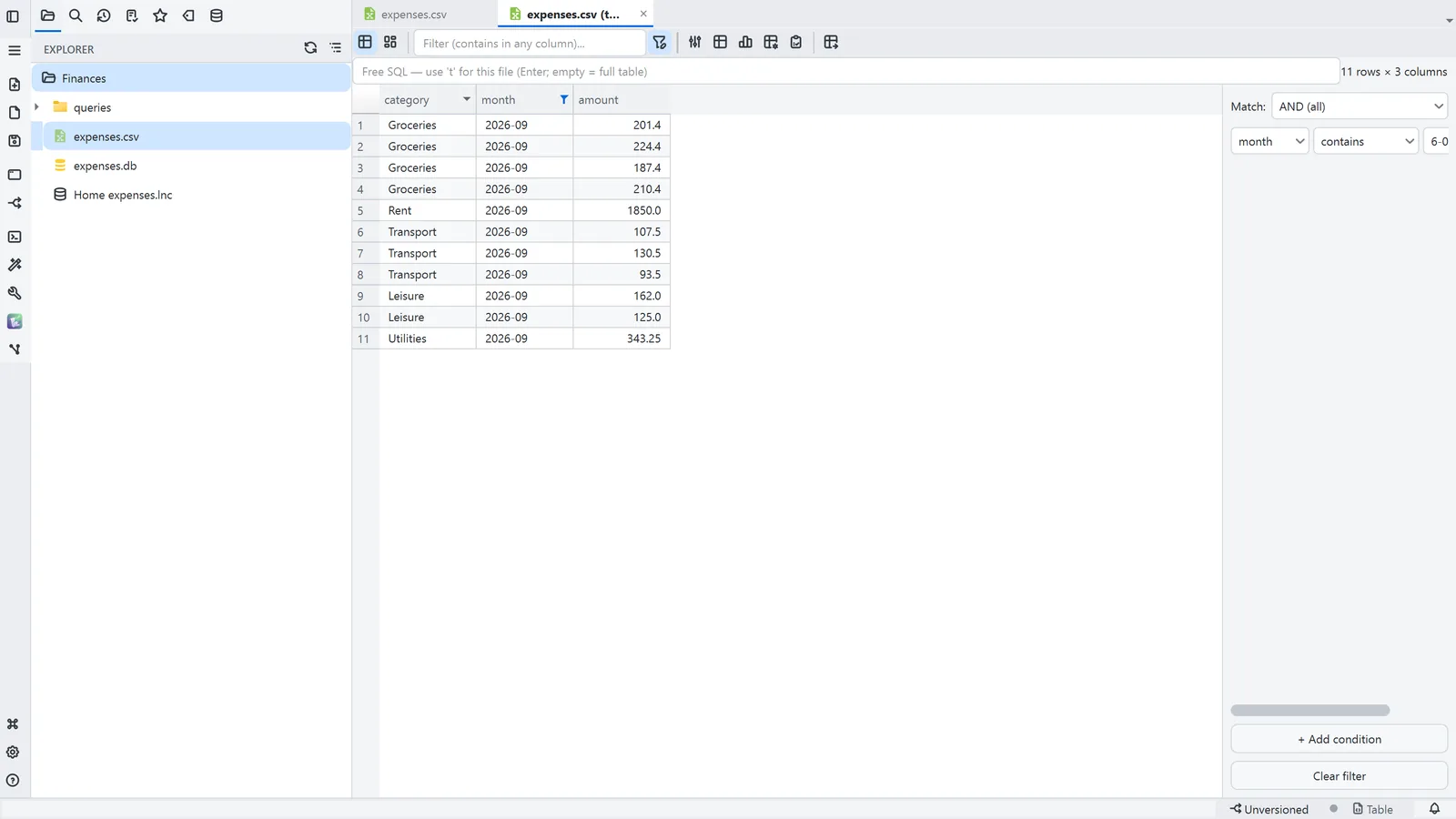
- Open the CSV and choose Open as table, in the editor toolbar
- 1Filter opens the conditions next to the table
- 2Pick the column and type the value; the table shows only the rows that match
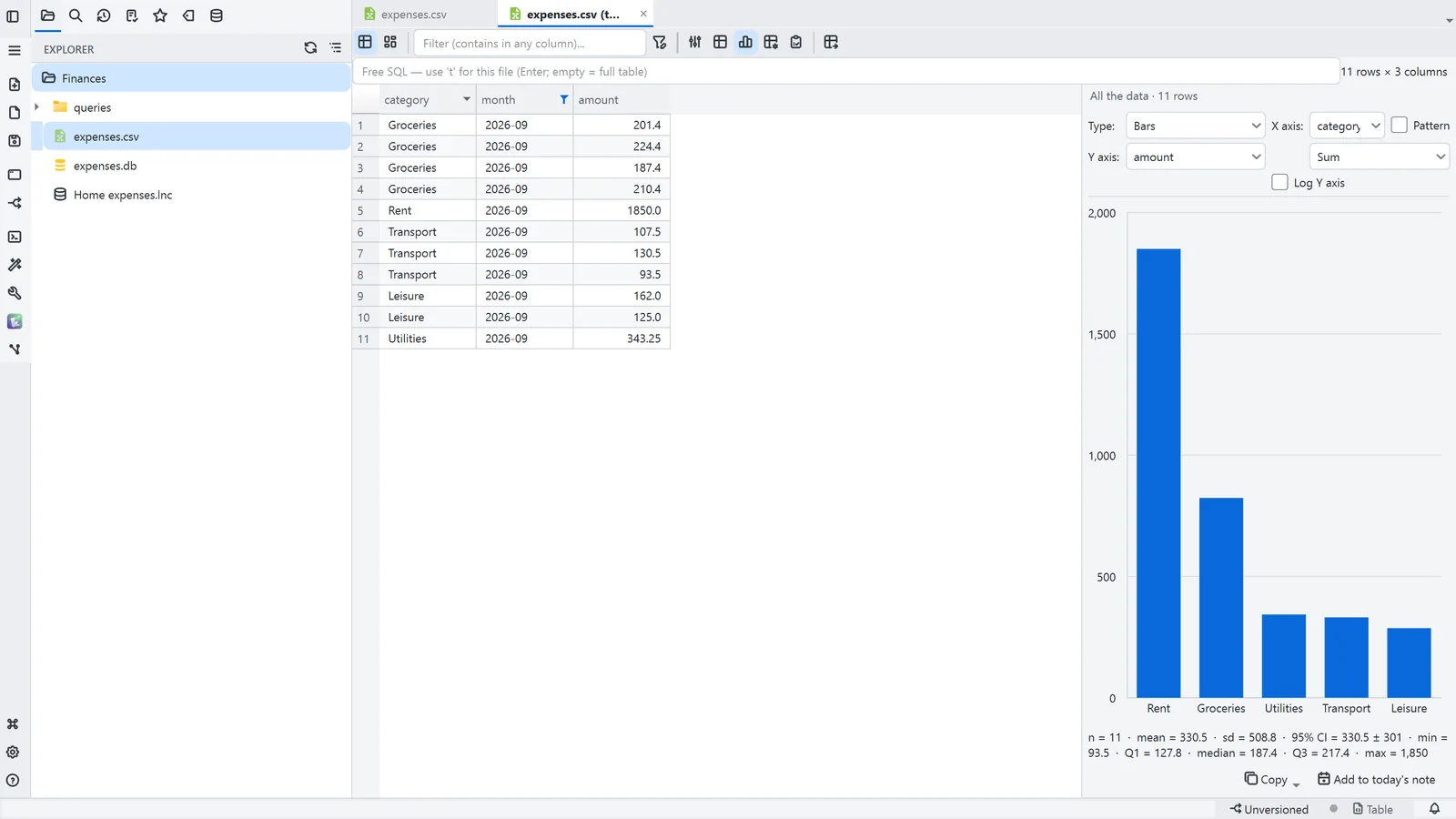
- 3Chart draws the filtered result
Read more in the HelpCopying, filtering and charting·Opening and querying
Tips
- Ctrl+F focuses the quick filter, which searches every column at once