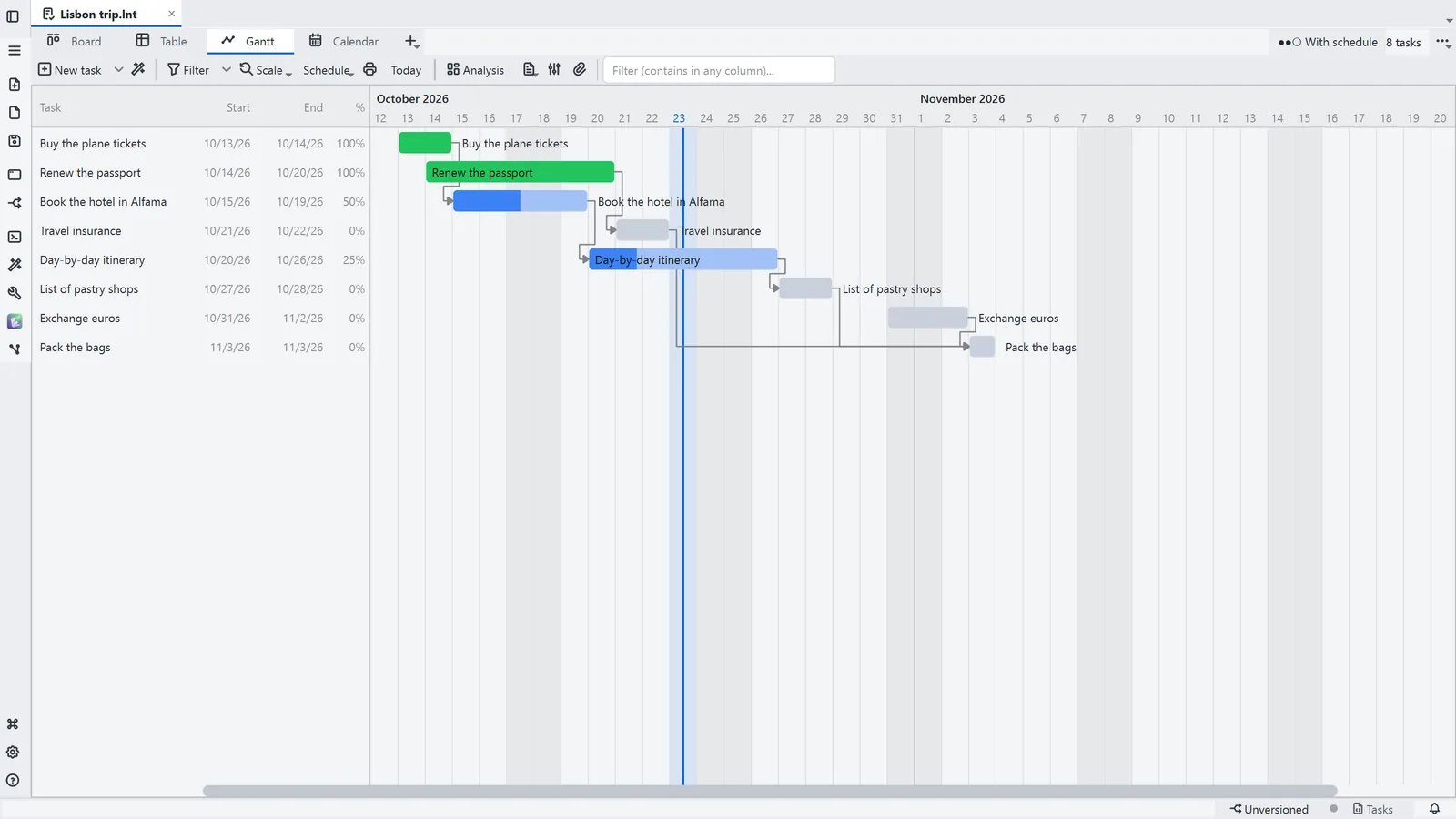
Step by step
Each step's number matches the marker on the screenshot; hover over or select a step to highlight it.
- A task board (.lnt) starts from File → New → New Tasks board
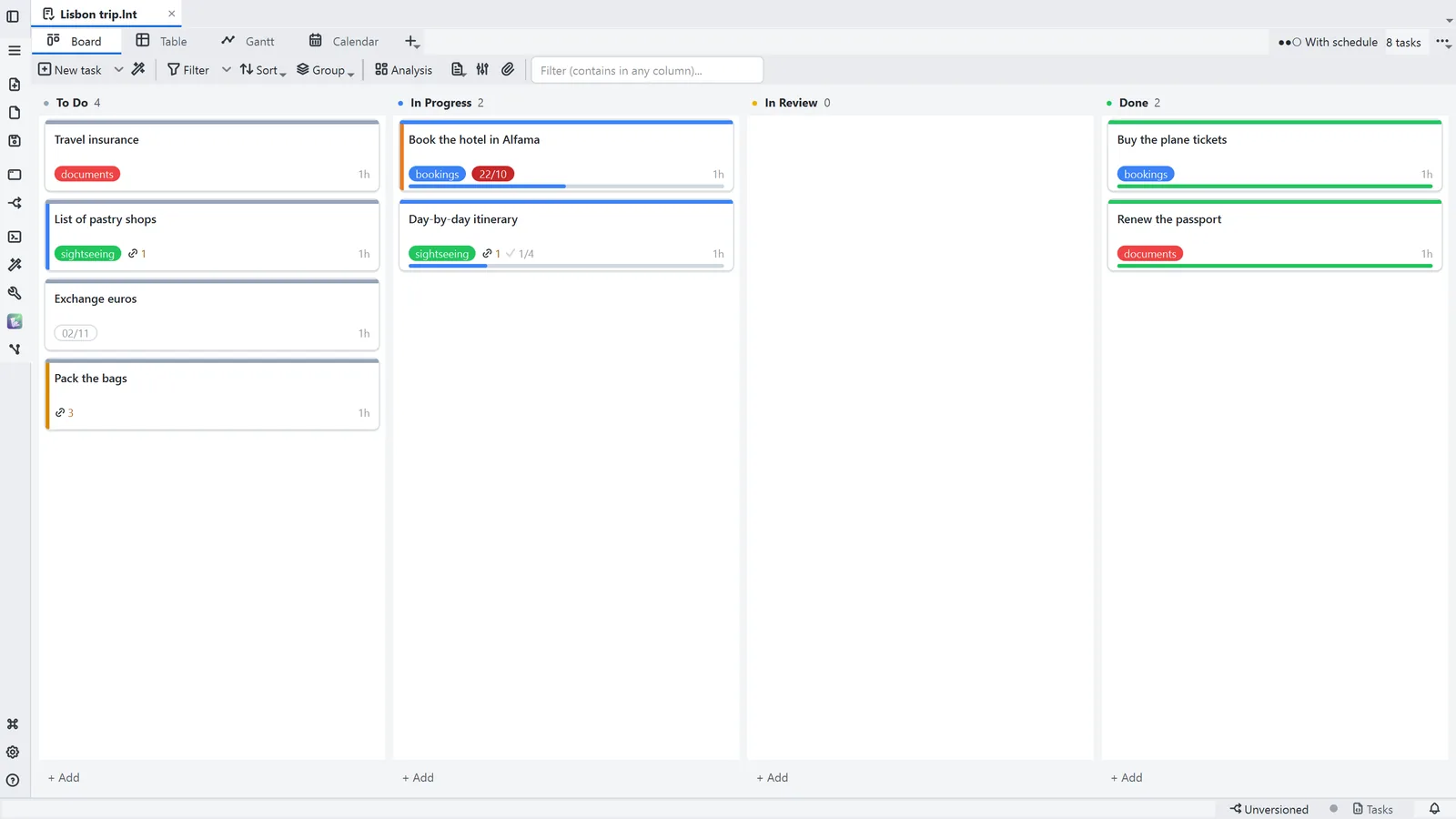
- 1In the Board, each column is a status: drag a card to change it
- 2New task creates the card; the arrow next to it offers task templates
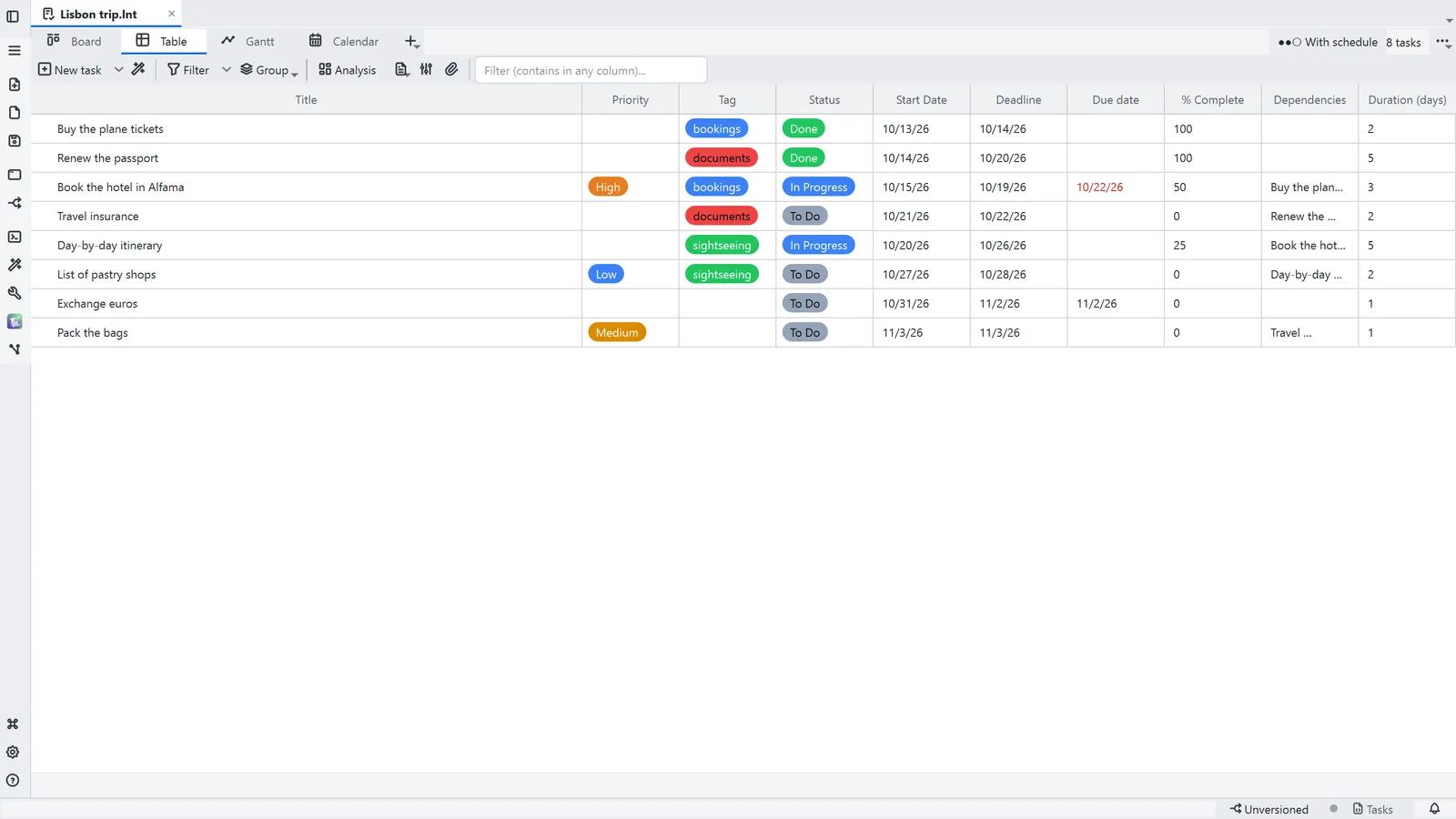
- 3Table: the same tasks as rows, with status, priority, due date and dates
- 4Gantt: each task is a bar on the calendar, and the arrows are the dependencies
- 5The mode button picks how much to show: Essential, With schedule (the Gantt) or Full project
Read more in the HelpViews, filter and totals
Other ways
New Tasks board
- Menu
- File → New → New Tasks board
- Command palette
- New Tasks board
- Activity bar
- New → New Tasks board
Tips
- On the board, N creates a task, Space completes or reopens it and Ctrl+←/→ moves the card between columns
- The filter applies to every view: what it hides disappears from the board, the table and the Gantt