Step by step
Each step's number matches the marker on the screenshot; hover over or select a step to highlight it.
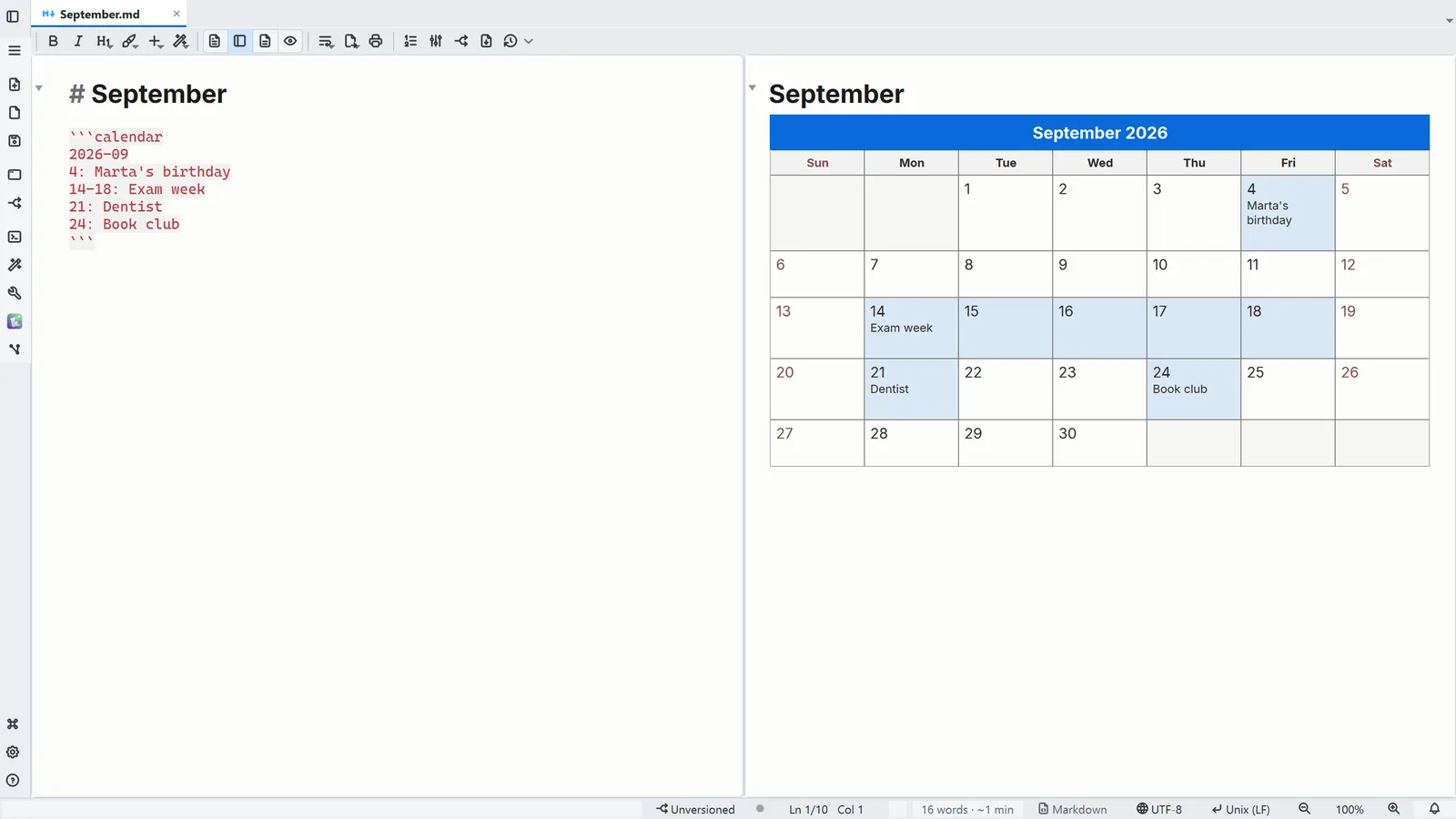
- In a ```calendar fence, the first line names the month, and each line after it is an event
- 1Text + reading shows the source and the calendar side by side
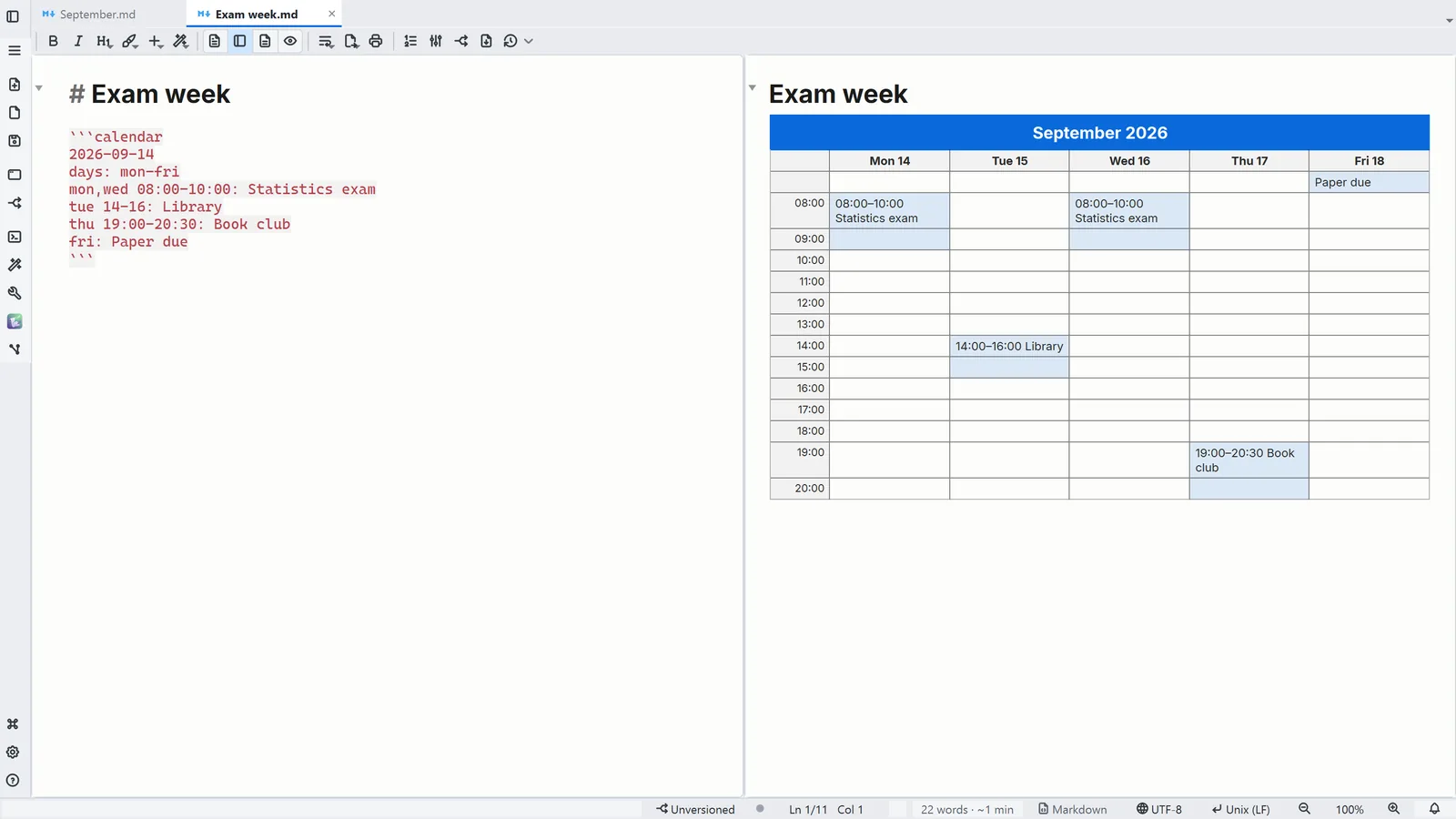
- 2Insert → Calendar adds a monthly, a weekly or an undated grid, with examples to edit
Read more in the HelpCalendar in a note
Tips
- In formatted editing, Ctrl+Enter on the calendar opens its source for editing
- It is a real table: you can select it, copy it into Word or Excel and find an event with Ctrl+F