Step by step
Each step's number matches the marker on the screenshot; hover over or select a step to highlight it.
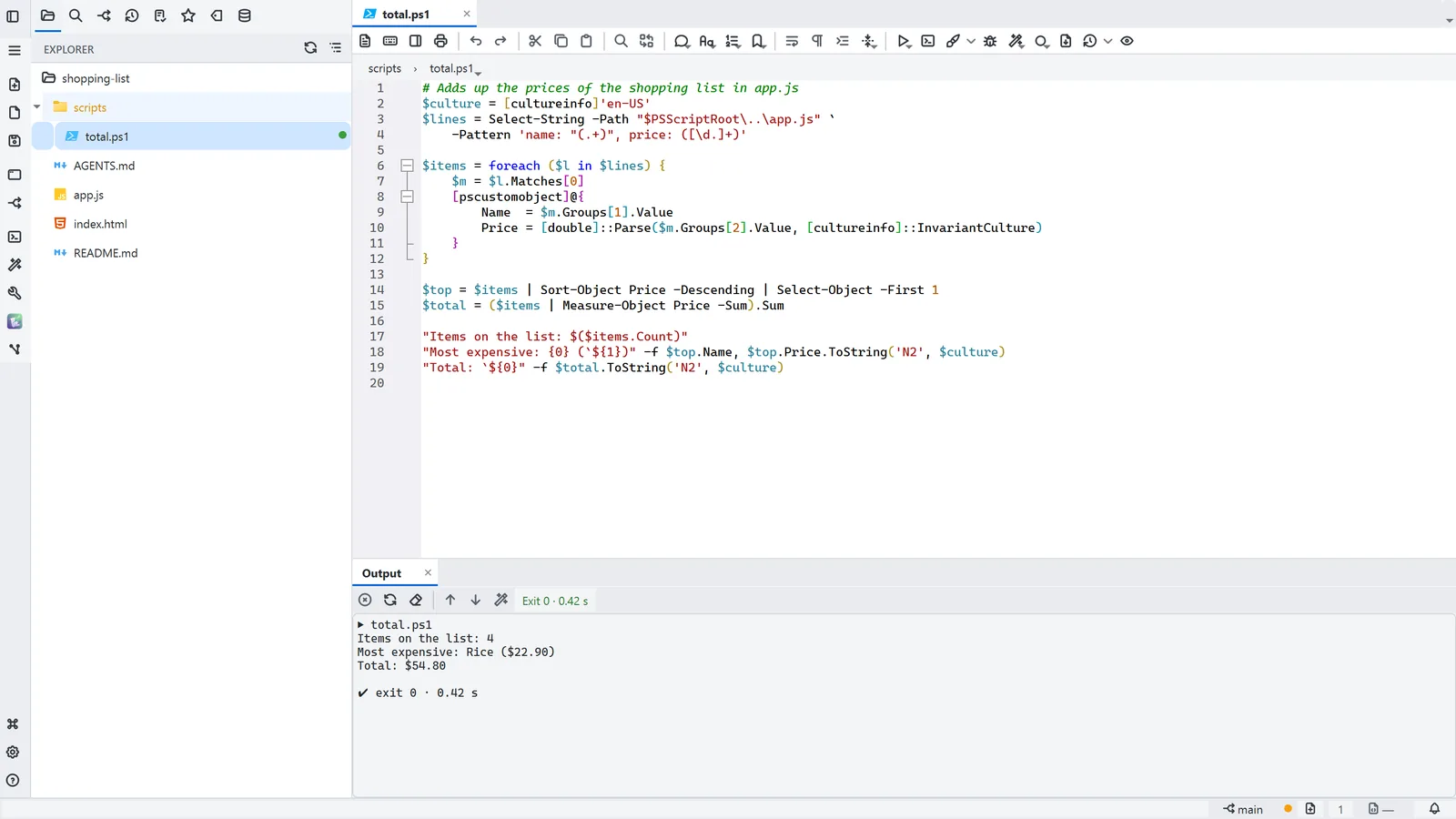
- Open the script from the tree; the editor colours the language's syntax
- 1Run in output panel (F6) runs the file with the language's interpreter
- The output shows up below, with the exit code and the time it took
- 2If it fails, Ask AI sends the error and the code to the AI to explain
Read more in the HelpRun code (F5)
Tips
- F5 runs the file in the built-in terminal; F6, in the output panel
- In the output panel, a file:line in the error becomes a link: Ctrl+click opens the exact spot
- Each extension's interpreter is set in Settings → Code tools