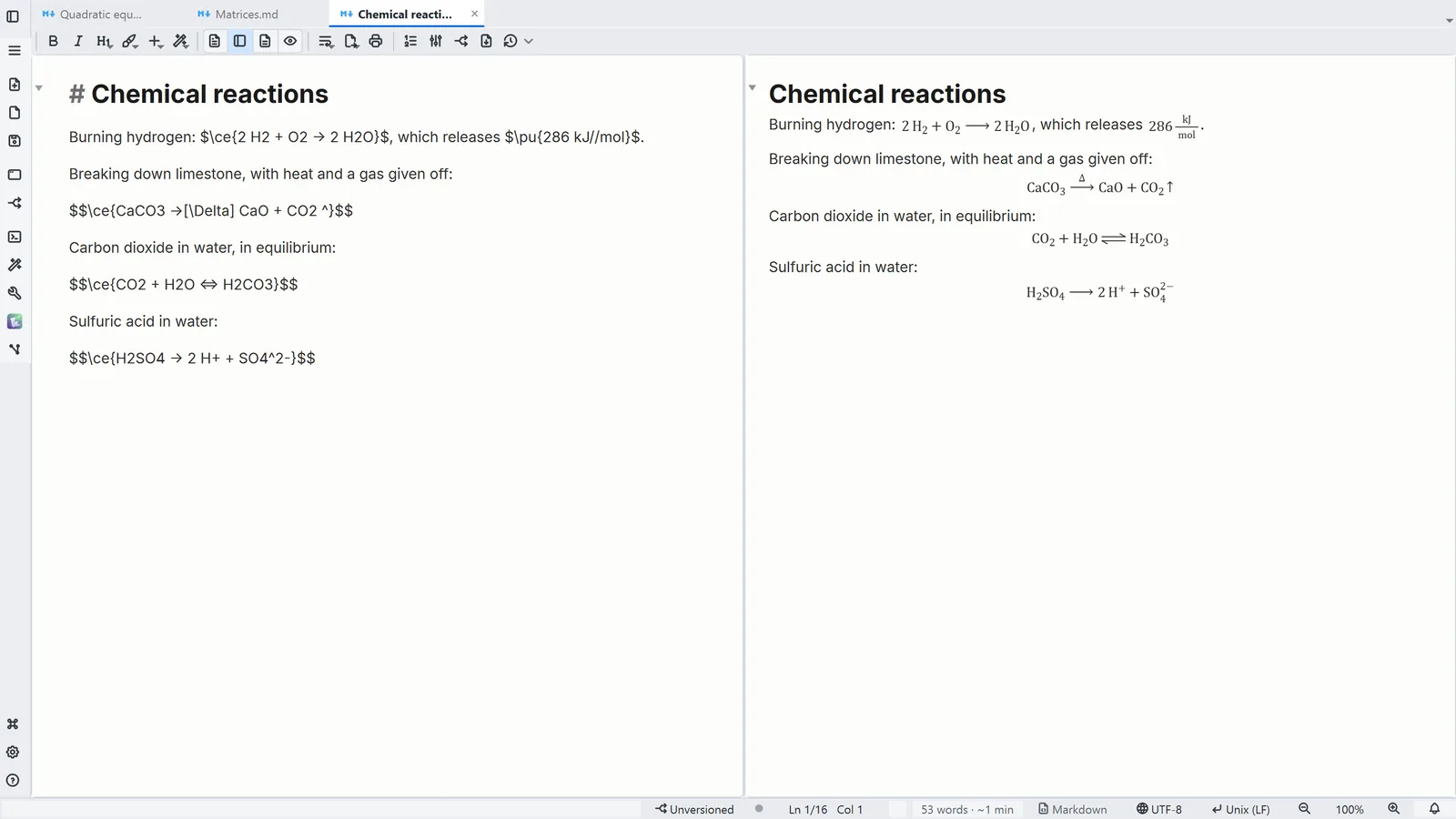
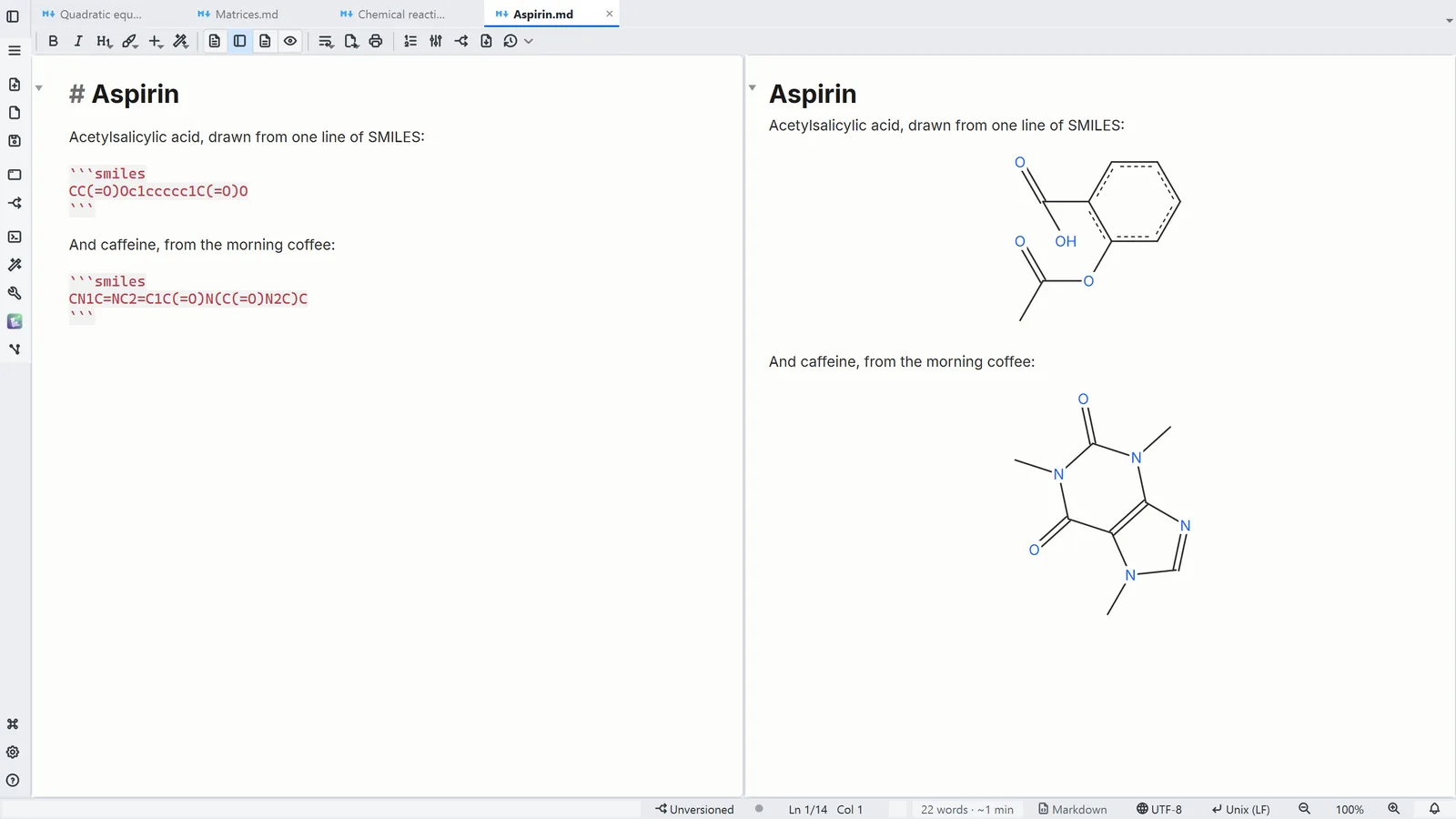
Step by step
Each step's number matches the marker on the screenshot; hover over or select a step to highlight it.
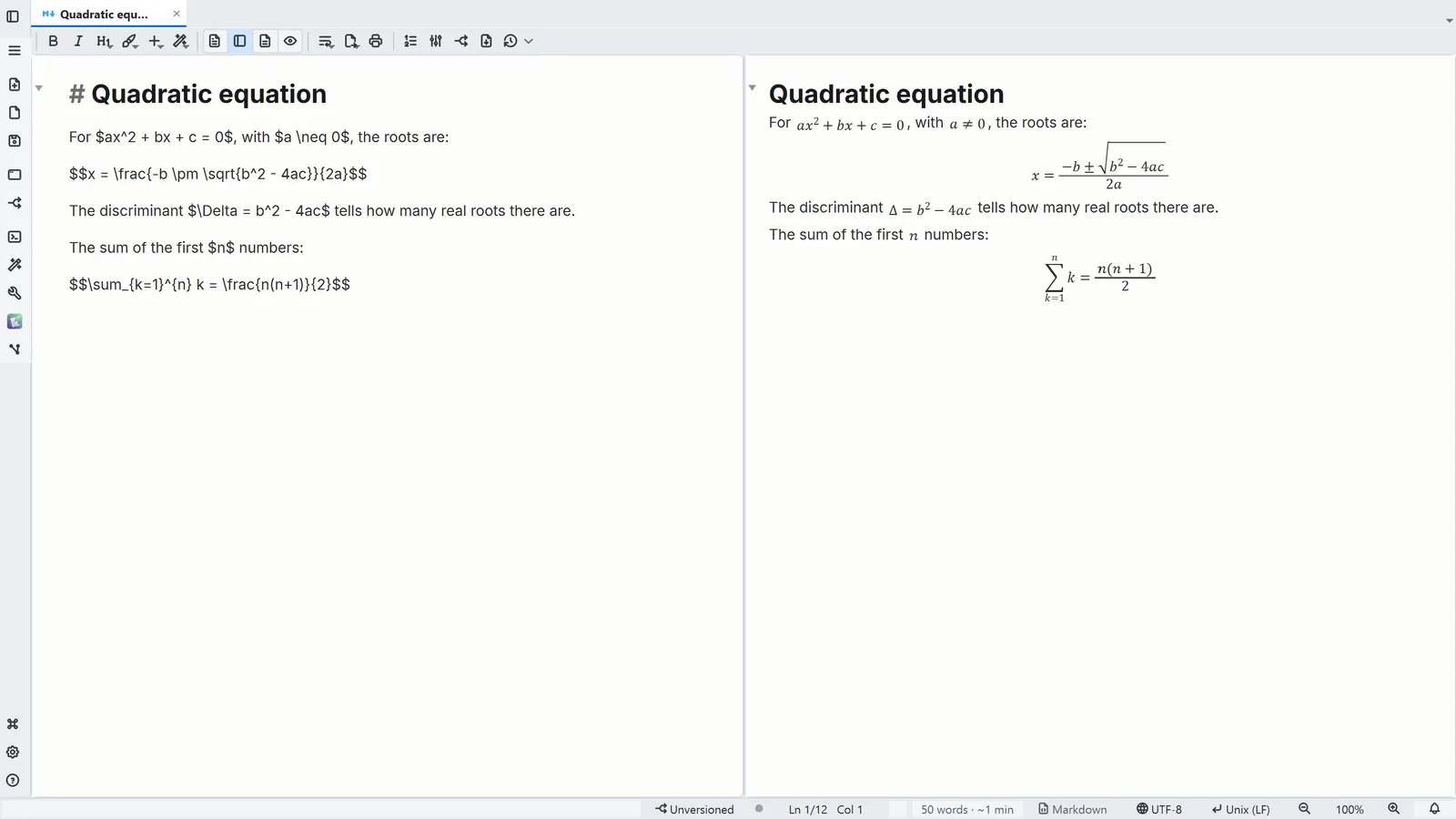
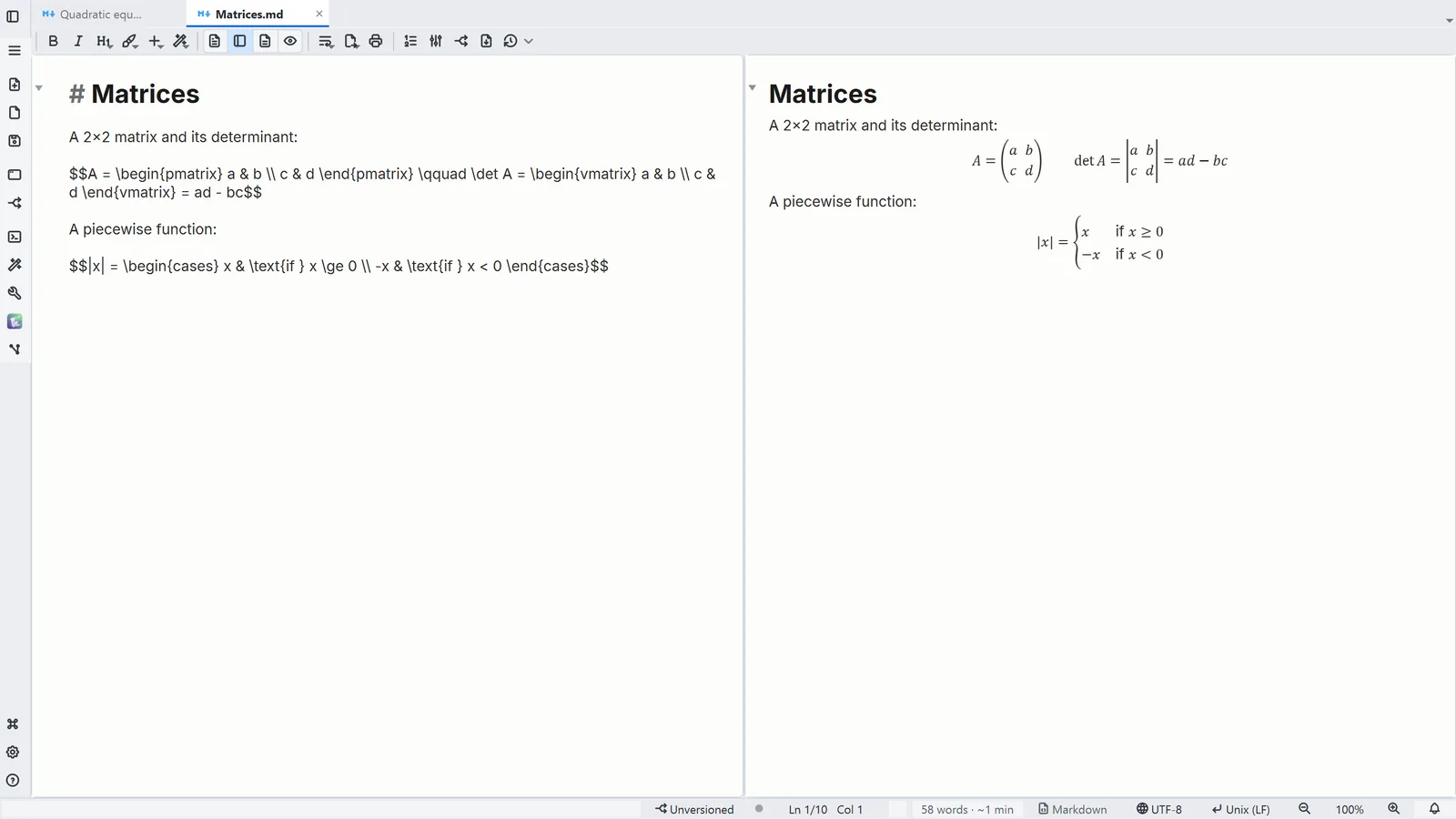
- Write the formula between $…$ inside a sentence, or between $$…$$ as a block
- 1Text + reading shows the LaTeX and the drawn formula side by side
- 2Insert → Formula (LaTeX) and Insert → Structure (SMILES) add a starter to edit
Read more in the HelpFormulas (LaTeX)·Chemistry: mhchem and SMILES
Tips
- In formatted editing the formula is drawn too: double-click it or press Ctrl+Enter to edit its LaTeX
- A $ in prose (costs $5 and $10) stays text: a formula can't start or end with a space