Step by step
Each step's number matches the marker on the screenshot; hover over or select a step to highlight it.
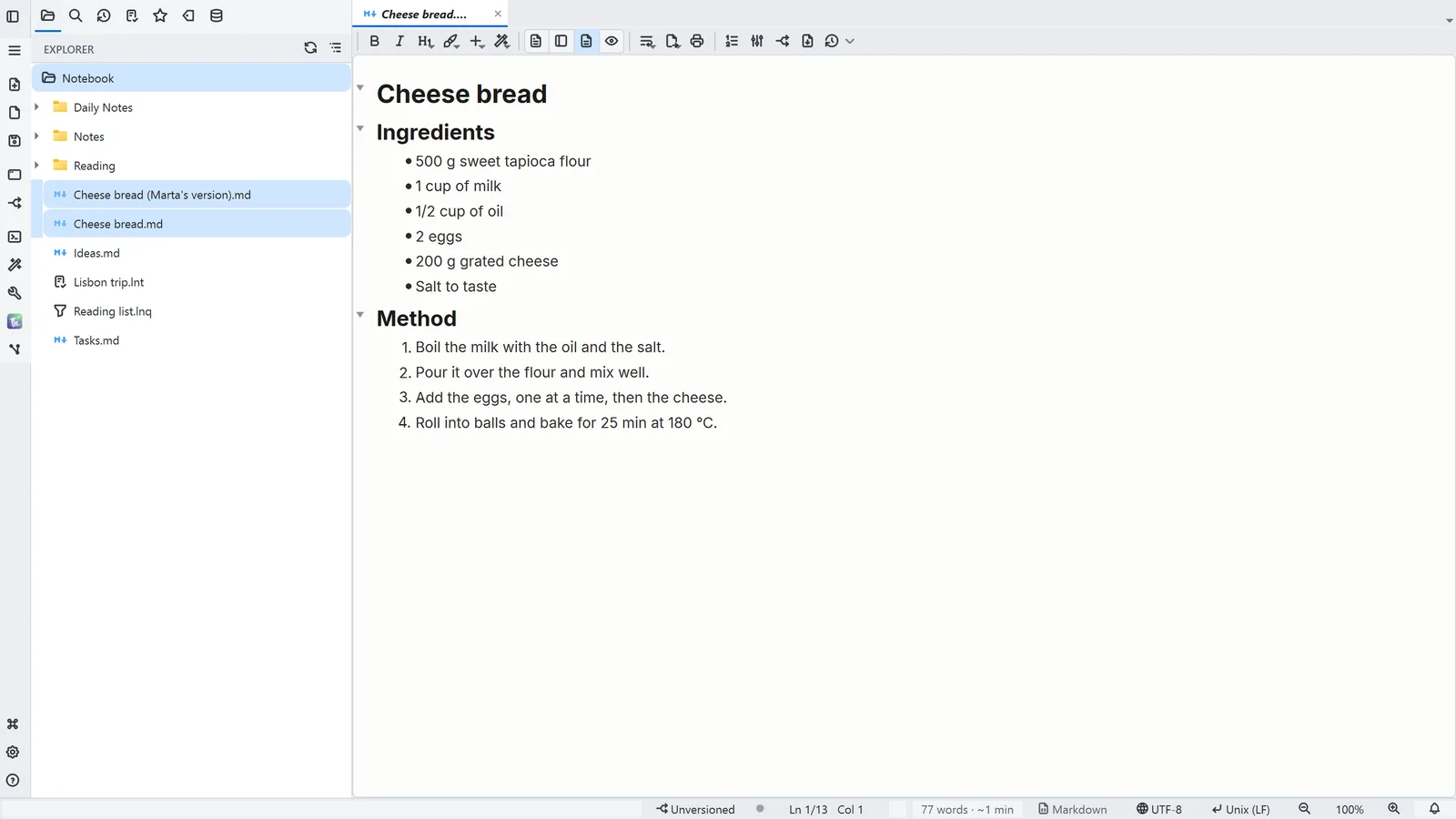
- 1In the file tree, click one file and Ctrl+click the other
- Right-click: File tools → Compare the text of both files
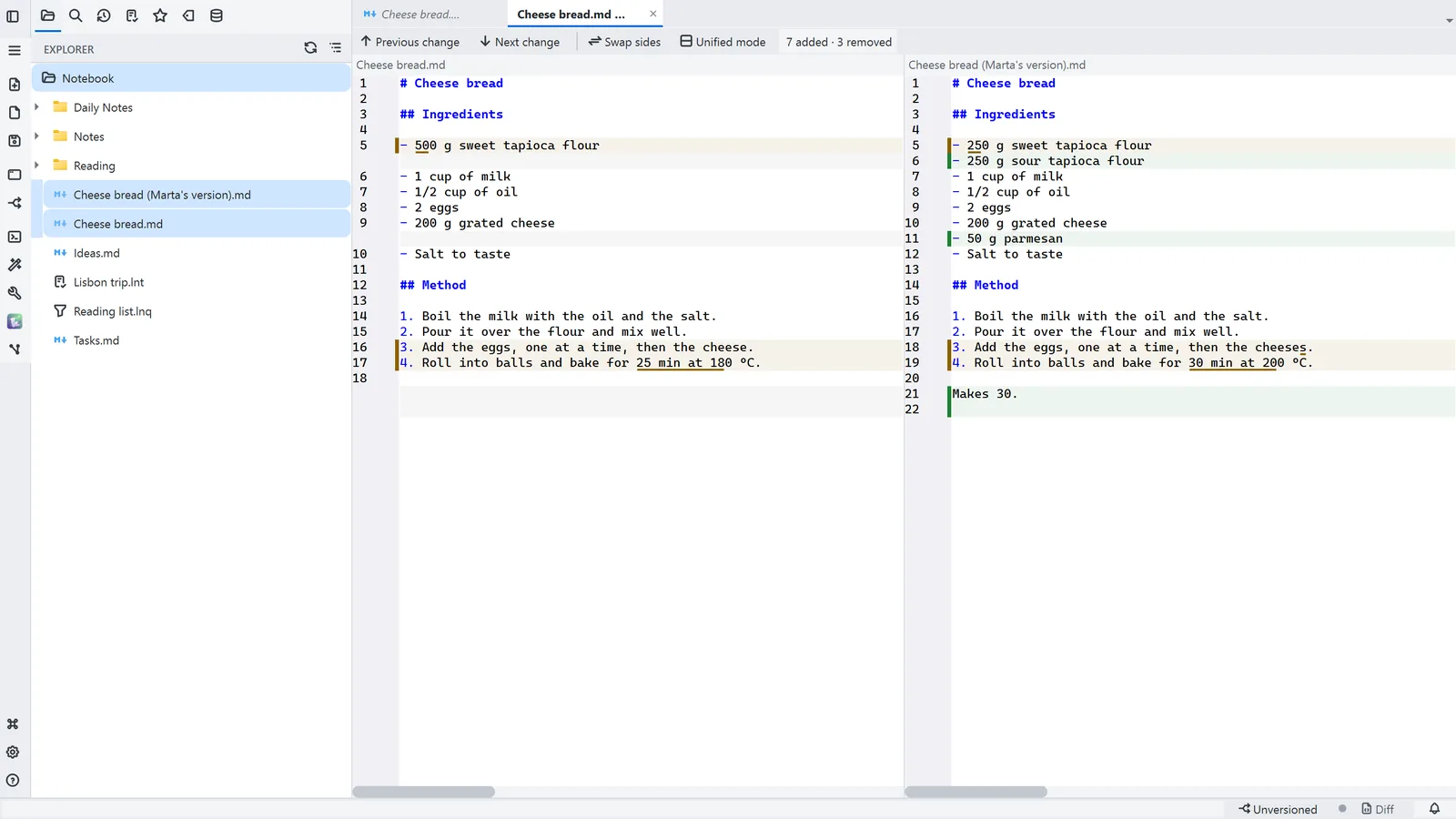
- Both open side by side; each difference gets a bar at the edge and a background tint
- 2Next change and Previous change (F8 and Shift+F8) jump from one difference to the next
- 3Unified mode shows the same differences as a patch
Read more in the HelpCompare files (diff)
Other ways
Compare text of two files
- Menu
- Tools → Compare text of two files...
- Command palette
- Compare text of two files...
- Activity bar
- Tools → Compare text of two files...
Tips
- Tools → Compare two tables… compares CSV, Parquet and JSON record by record, by a key column
- From the Git panel, a file can also be compared side by side with the version in the last commit