You do not need a heavy program to write Markdown on Windows or Linux: a .md file is plain text, and any editor opens it. This guide explains what makes a Markdown editor lightweight, compares the free and paid options people use most (from Notepad to Obsidian) and shows how LightNote edits Markdown with a preview, formatted editing, diagrams and math.
What program opens a .md file?
Any text editor. A Markdown file is text with a few marks (# for a heading, ** for bold, - for a list), so it opens in Notepad, VS Code, Notepad++ or the Linux text editor with nothing installed. What changes from one program to another is what it does with those marks: show the plain text, show a formatted preview next to it, or let you edit while seeing the result, as in a word processor.
To make .md files always open in the same program on Windows, right-click a file, choose Open with → Choose another app, pick the editor and tick the option to always use it.
What makes a Markdown editor lightweight?
Many popular Markdown editors are built with Electron, which ships a whole web browser (Chromium) to draw the window. That is how VS Code, Obsidian, Typora, MarkText and Zettlr work. The upside is the same look on every system and a large extension ecosystem; the cost is that each program carries its own browser, which weighs on memory and start-up time, especially on a modest computer or with many programs open.
Native editors (built with the system's own interface or with libraries such as Qt) do not carry that browser. Windows Notepad, KDE's Ghostwriter and LightNote are in this group. Being lightweight is not only that, though: a light editor opens fast, does not freeze on a long note and does not ask for an account or a sync service before you start.
Which Markdown editors are there for Windows and Linux?
| Editor | Price | Systems | How you edit | Built on |
|---|---|---|---|---|
| Notepad (Windows 11) | Included with Windows | Windows 11 | Basic formatting (bold, italic, headings, lists, links), switching between formatted text and markup | Native |
| VS Code | Free | Windows, macOS, Linux | Text with a side preview | Electron |
| Obsidian | Free (Sync and Publish are paid) | Windows, macOS, Linux, mobile | Text or live preview, with links between notes | Electron |
| Typora | Paid | Windows, macOS, Linux | Formatted (what you see is what you get) | Electron |
| MarkText | Free, open source | Windows, macOS, Linux | Formatted | Electron |
| Zettlr | Free, open source | Windows, macOS, Linux | Text, focused on academic writing and citations | Electron |
| Ghostwriter | Free, open source | Linux, Windows | Text with a preview, distraction-free mode | Qt (native) |
| LightNote | Free | Windows, Linux (preview) | Text, split, formatted or reading | Qt (native) |
A few things the table does not show:
- Notepad: Markdown formatting came to Windows 11 Notepad in 2025 and can be turned off in its settings. It is fine for reading and for a quick note; it does not draw tables, diagrams or math.
- VS Code: it is a code editor, and Markdown comes along. Ctrl+Shift+V opens the preview in a tab and Ctrl+K V opens it to the side. For diagrams and math in the preview, you add extensions.
- Obsidian: the best-known app for linked notes (the "second brain"). Since February 2025 it is free for work use too; sync and publishing are separate paid services.
- Typora: formatted editing is its strength, and it is paid, with a trial period.
- MarkText: the closest free alternative to Typora, with new releases in 2026.
- Ghostwriter: part of KDE and packaged by Linux distributions; the latest Windows build published on GitHub is from 2022.
Is there a portable Markdown editor that runs from a USB drive?
Yes. What makes an editor portable is keeping its settings next to the program instead of in a system folder, so the whole folder can live on a USB drive or in a synced folder. VS Code has a portable mode in its .zip download, and so does LightNote (details below). Either way, the notes themselves are ordinary .md files that you can take anywhere.
How does LightNote edit Markdown?
LightNote is a free notes and code editor for Windows and Linux (a preview on Linux), with no account and local files. It is not built with Electron: the interface is native, in Qt. Notes are .md files in a folder of yours, and they open in any other editor.
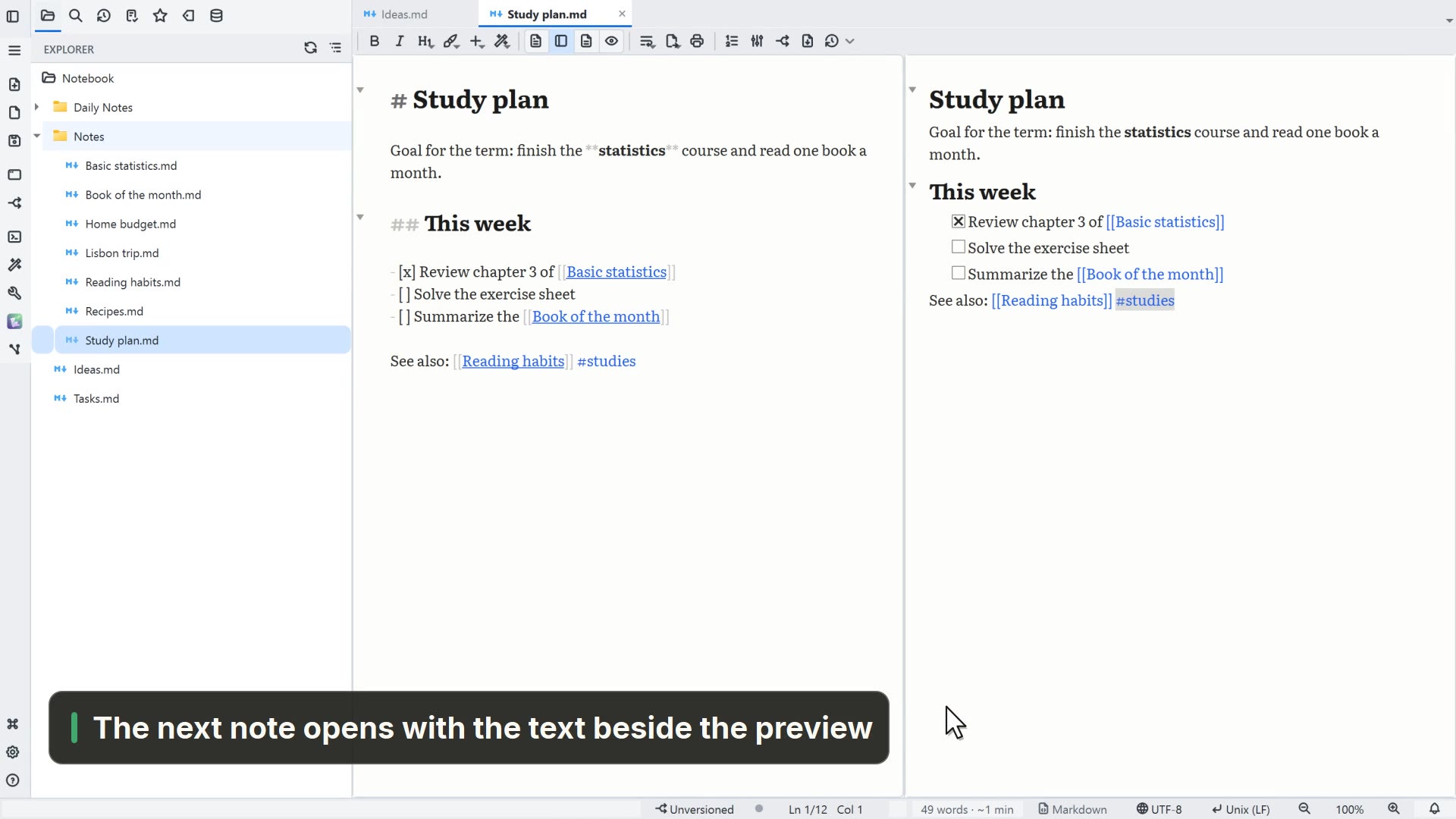
- Four modes on the same note. Ctrl+E cycles between editor, split (text and reading side by side), formatted editing and reading. In the text editor, the markup fades outside the paragraph under the cursor, so the page looks like a finished document.
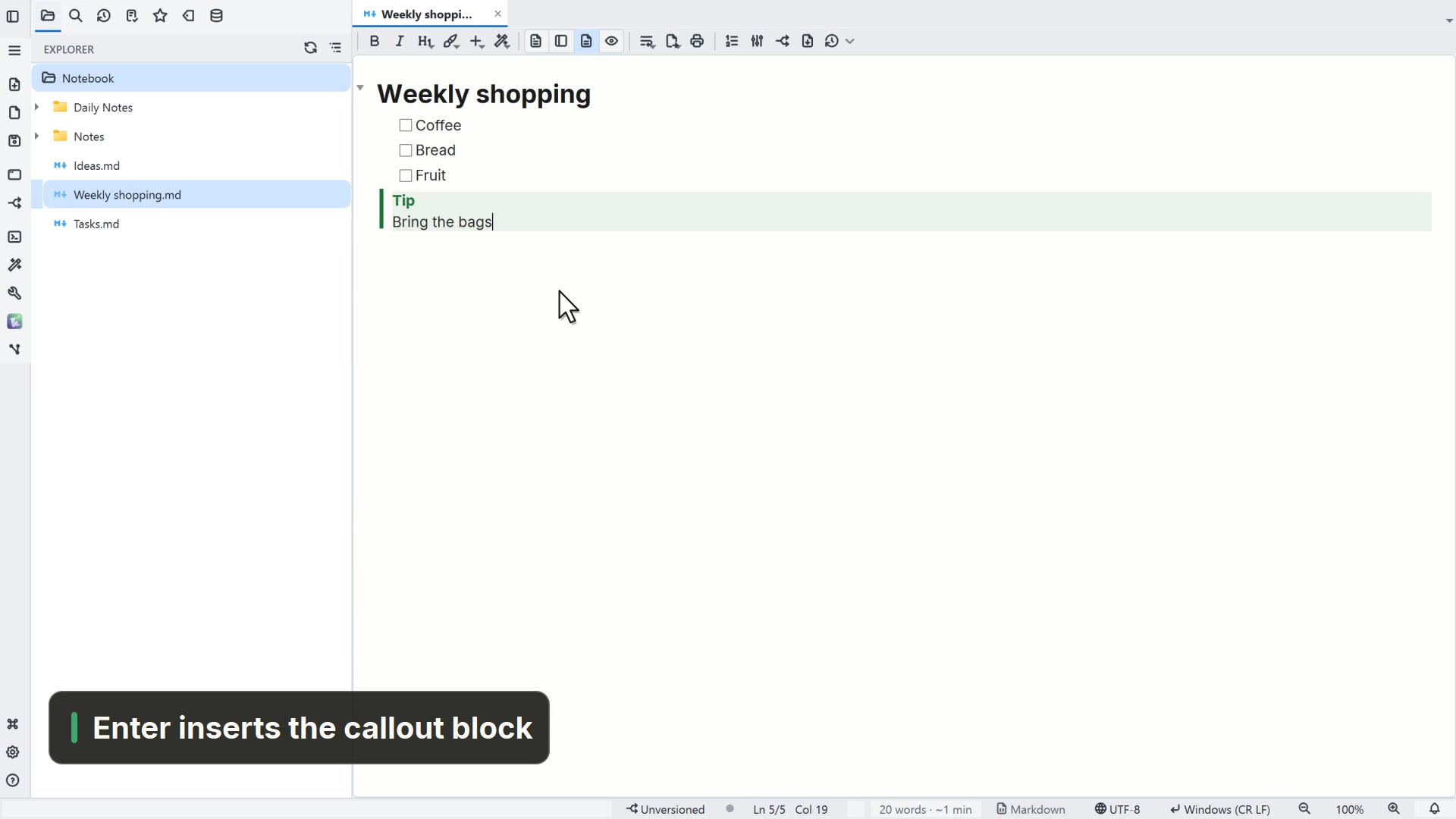
- Formatted editing that does not damage the file. Headings, lists, tables and images look the way they will, and the file stays the same
.md: entering the mode and leaving without editing does not change a byte. The toolbar offers only what Markdown can represent (heading, bold, italic, strikethrough, code, lists with task boxes, quote, link, table), and typing/at the start of a line opens the list of things to insert. - Diagrams and math. A
```mermaidblock becomes a diagram (flowchart, sequence, Gantt and more), and$E = mc^2$or$$…$$becomes a rendered formula, in reading mode and in the exported file. - Linked notes. Wikilinks
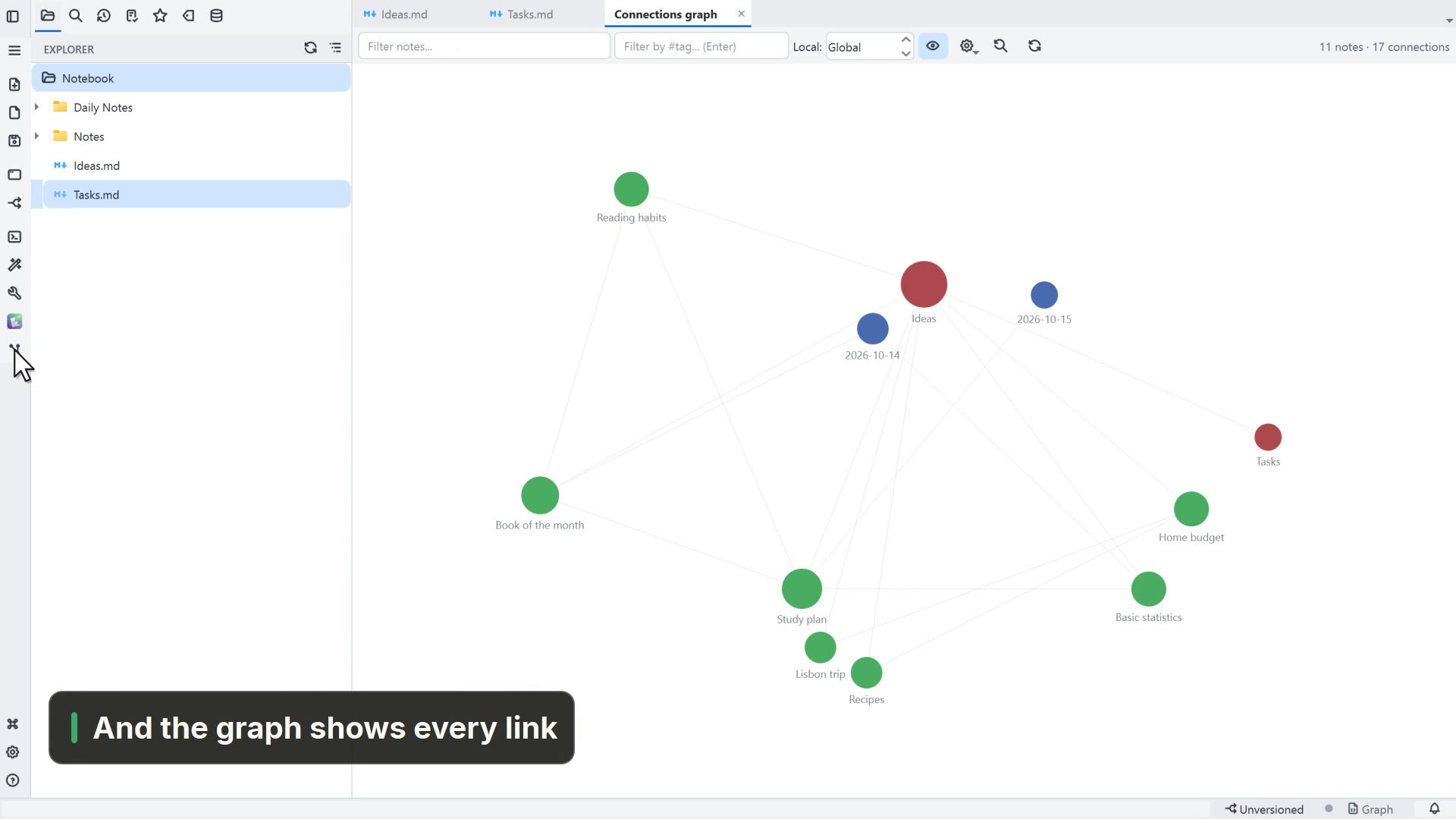
[[note]], embedded images![[photo.png]], callouts> [!NOTE]and%%…%%comments work as in Obsidian, and the canvas uses the same open format (.canvas). - Export. File → Export note produces Word, OpenDocument, PDF, HTML, LaTeX, Typst and EPUB without installing anything, and Markdown for… writes the note in the target's dialect (GitHub, MkDocs, Docusaurus, Pandoc).
- Portable. In the
.zipversion, Settings → General → Portable mode → Make this copy portable… copies settings and history into the program folder, which can then run from a USB drive.
Because it is also a code editor, the same window opens the scripts, CSV tables and PDFs that sit next to your notes.
Which one should you pick?
To read a .md now and then, Windows 11 Notepad is enough. If you already live in VS Code, its preview does the job. For a large collection of linked notes with many plugins, Obsidian is the reference; to write a long text while seeing the formatting, Typora (paid) and MarkText (free). If you want all of that in a native, free program with no account, with diagrams, math and export to Word and PDF, try LightNote.